 Story Mode Guy
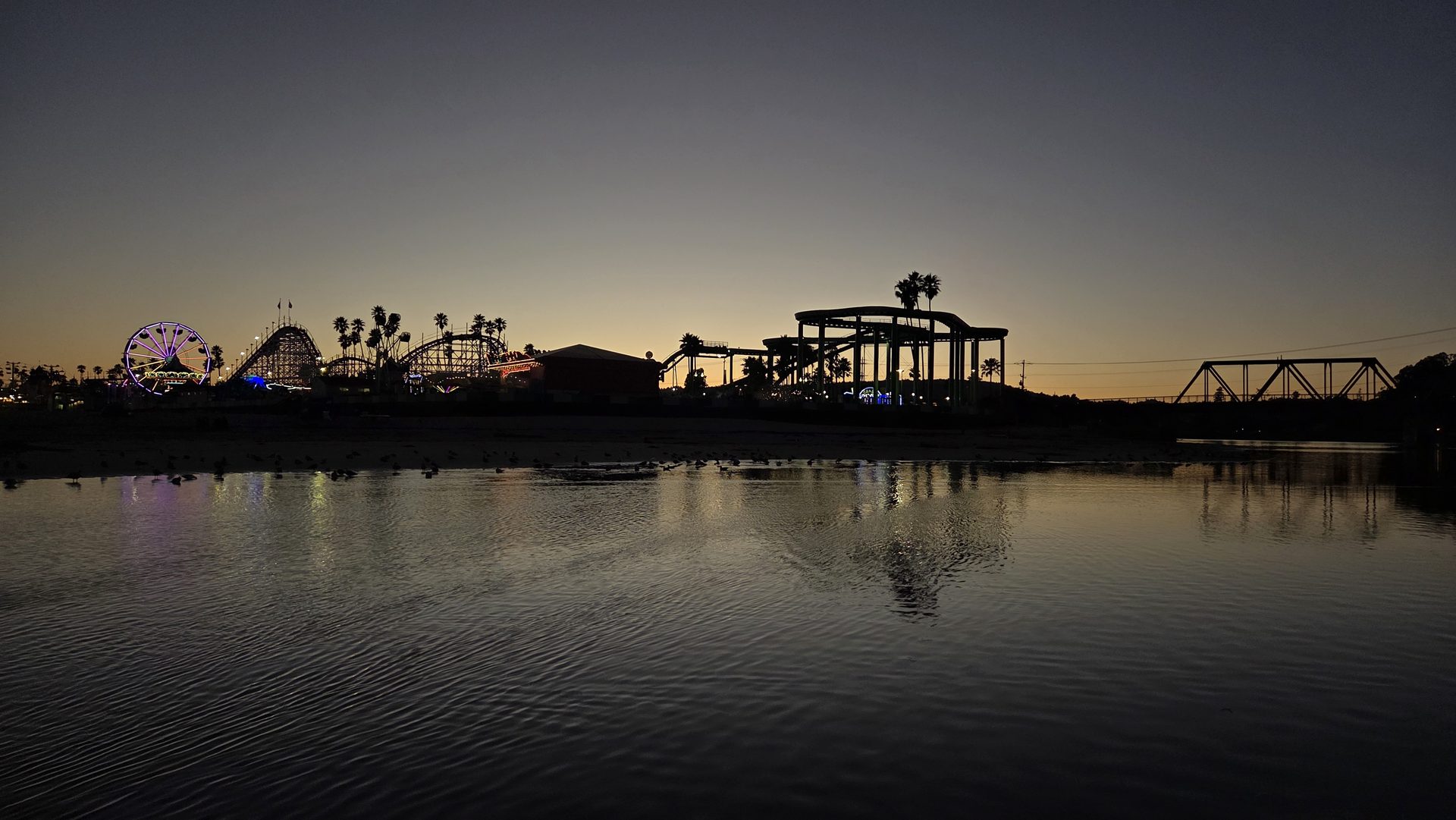
Everyone has watched the video where, for no reason, an aerial shot appears in the middle of a conversation, floats around for ten seconds, and disappears. If you want to know how to use drone footage in videos so it earns its place, start with this idea: a drone shot is b-roll with a job. It answers a question the viewer has, such as where are we, how big is this, or how do these two places connect. If you can't name the job, cut the shot.
The Four Jobs an Aerial Can Do
- Establish. It shows where we are before the story starts. A wide shot of the Santa Cruz Wharf at dusk tells the viewer the setting in one second.
- Reveal scale. A small figure on a bluff, or one tent in a huge field, shows size in a way ground cameras can't.
- Connect. It shows how locations relate: the beach, the road, and the trailhead are all within a short walk.
- Transition. A rising or pushing shot can carry viewers from one scene or chapter into the next.
Pick one job per shot. A shot that tries to do all four usually does none.
Use the Establishing Shot Properly
The classic establishing shot opens a scene, and an aerial is a natural fit. Place it first, hold it for three to five seconds, then cut to ground level quickly. The viewer now has a map in their head, so each ground shot makes more sense.
Some practical ways to use an aerial establishing shot:
- Open the video with it, then cut to a detail on the ground, such as a hand on a wetsuit zipper or a coffee on a rail.
- Return to it midway as a "reset" after a long interview or tight sequence.
- Close with a pull-back, which gives a sense of ending.
Cutting Between Ground and Air
Switching from a human-height view to a 100-meter view is a big jump, so help the viewer with the cut.
- Match the motion. If the ground camera pans right, start the aerial moving right too. Opposite directions feel like a mistake.
- Match the subject. Cut from a surfer paddling out at ground level to the same surfer from above. The subject is the thread.
- Change the size a lot. Going from a close shot to a wide one feels intentional. Going from slightly wide to slightly wider feels like a jump cut.
- Match the light. Shoot aerials and ground footage in the same window when you can. Cloud cover that changes between shots is hard to hide.
Build a Sequence, Not a Pile
If you plan to use several aerials in a row, give the sequence a shape. I like to think in three beats: wide, medium, and close. Start high and far, come in to a medium shot with a clear subject, and end close or low. The altitude changes naturally tell a story of arriving somewhere.
Vary the moves too. A reveal, a slow orbit, and a top-down pass are three different feelings. Three identical push-ins in a row feel like a template.
Pace matters. On a calm, scenic piece, hold shots for five to eight seconds. On something energetic, three to four seconds is plenty. Whatever you choose, keep it consistent through the sequence so the rhythm feels intended.
Stock your timeline with aerials
Browse a library of coastal drone clips you can drop straight into your edit as establishing shots, transitions, and reveals.
See the drone library →How Many Is Too Many?
My rule: aerials are the seasoning, not the meal. In a five-minute video, I'd typically use somewhere between four and eight, depending on the subject. If every other shot is from the sky, the sky stops feeling special. Save them for moments that need the perspective.
Ask yourself of each one: if I removed this, would the viewer lose any information or emotion? If not, it's decoration, and it can go.
Simple Tricks That Make Aerials Feel Native
- Keep aerial and ground footage at the same frame rate and, ideally, the same color treatment.
- Let the audio continue across the cut, such as ocean sound under both shots.
- Use a short dissolve or a motion cue for transitions, not flashy effects.
- Add a subtle push or slide on a still-looking aerial so it never feels frozen.
Plan It Before You Fly
The best aerial edits start on the shot list. Decide the job of each shot, note which ground shots they'll cut with, and fly the move that serves them. Then you aren't forcing footage into a story afterward. If you want to see how I frame the coast from above and on the ground, browse the photo gallery for ideas on composition and light.